


Quick answer: The most common LIFEPAK 20e service items are aging lithium-ion batteries, failed automatic self-tests, worn paddles and therapy cables, printer problems and cracked or fluid-damaged housings. Keeping the unit on AC power, checking the daily auto test and following a consistent PM program prevents most surprises at the crash cart.
This guide covers equipment service only. For clinical use, follow Stryker’s operating instructions and your facility’s protocols.
LIFEPAK 20e Overview
The Stryker Physio-Control LIFEPAK 20e is a hospital monitor/defibrillator with manual and AED modes. It monitors ECG, heart rate and SpO2, adds waveform capnography with the optional CodeManagement Module, and runs on an internal rechargeable lithium-ion battery. It is built to sit on crash carts and bedside shelves.
The 20e is a different model from the original LIFEPAK 20. Stryker ended support for the LIFEPAK 20 after its 2019 end-of-support notice, while listing the 20e among products not affected. Confirm current support status with Stryker when you plan long-term fleet decisions.
1. Battery Capacity and Low-Battery Messages
Battery wear is the most predictable LIFEPAK 20e service item. The internal lithium-ion battery loses capacity with age, and Stryker says it should be replaced every two years even with good care. Frequent low-battery messages, or fewer charge bars than expected, mean replacement is due.
Why it happens
Lithium-ion capacity fades with time and charge cycles. Units left off AC power after use start the next event partly discharged, and the charge indicator reflects both charge and remaining capacity.
How to avoid it
Connect the unit to AC power after every use and keep it plugged in on the cart. Record the battery install date and plan replacement every two years. A missing or non-charging battery lights the SERVICE indicator.
2. Auto Test Failures and the SERVICE Indicator
When configured, the LIFEPAK 20e runs a daily auto test. If the test fails on AC power, the SERVICE indicator lights and the printed report shows a failed self-test. On battery power, the SERVICE indicator lights the next time the unit is turned on. Either way, the unit needs attention.
Why it happens
Auto tests can fail from internal faults, but also from setup: the unit should be plugged in, with the therapy cable on its test plug or the paddles clean, dry and seated before the test runs.
How to avoid it
Check the auto test result every day. If it failed or did not complete, run the user test described in the operating instructions. If the user test also fails, take the unit out of service for evaluation.
3. Paddles and Therapy Cable Wear
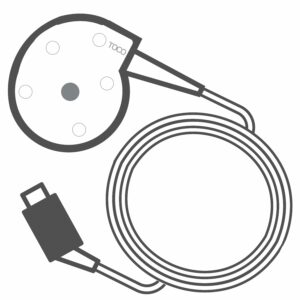
Therapy cables and paddles take more handling than any other part of the LIFEPAK 20e. Cracked cable jackets, broken or bent connector pins and pitted paddle surfaces can cause check failures, a CONNECT CABLE message or unreliable performance, so damaged accessories should be replaced or repaired promptly.
Why it happens
Cables are bent sharply, pulled by the jacket, dropped and run over by cart wheels. Repeated connecting and disconnecting wears connector pins, and paddle surfaces can become pitted with use.
How to avoid it
Stryker recommends keeping the therapy cable connected to the defibrillator to protect the connector. Inspect cables for cracks, broken parts and bent pins, check paddle surfaces for pitting, and keep paddles clean and dry.
4. Printer Problems
Blank, faint or jammed strips are usually a paper or loading problem rather than a printer failure. The LIFEPAK 20e uses 50 mm paper, and Stryker says to use only the paper specified in the operating instructions. A damaged door, latch or paper drive needs service.
Why it happens
Unspecified paper, rolls loaded upside down and doors forced shut on a misaligned roll are common causes of printing complaints. A cracked door or worn latch can also keep the roll from feeding.
How to avoid it
Stock only the specified 50 mm paper, load the roll grid side up and pull out a short length before closing the door. Check the paper supply as part of each operator check.
5. Cracked Housings and Fluid Damage
Cracked housings, damaged connectors and fluid inside the case can lead to self-test failures and intermittent faults. Crash carts move fast and get bumped, and fluids are common during codes, so the housing and connectors deserve a close look at every inspection and after any spill.
Why it happens
Impacts during transport, cleaning agents applied too heavily and fluids that reach connectors or seams are the usual causes. Unapproved chemicals can also weaken plastics over time.
How to avoid it
Clean with a damp cloth using approved agents such as quaternary ammonium compounds, isopropyl alcohol or peracetic acid solutions. Do not use bleach or ketones, never immerse the unit, and do not autoclave it.
Preventive Maintenance Best Practices
A good LIFEPAK 20e PM program combines daily operator checks with scheduled technical inspection. Operators confirm readiness and the auto test result, while biomedical staff verify performance and electrical safety on a schedule set by the service manual and your facility’s equipment management plan.
- Daily: confirm the auto test passed and the unit is on AC power
- Each operator check: inspect the unit, cables and paddles for damage, confirm electrode expiration dates and a spare set, and check paper supply
- As needed: run the user test after a failed or incomplete auto test
- Every two years: replace the internal lithium-ion battery
- Scheduled PM: performance inspection and electrical safety testing with calibrated test equipment, documented in your PM record
LIFEPAK 20e Symptom Quick Guide
Use this table to sort out common LIFEPAK 20e issues before you call for service. Anything involving a failed self-test, a SERVICE indicator or a damaged therapy cable should be handled as a readiness problem: take the unit out of service and have it evaluated by qualified service personnel.
| Symptom | Likely cause | What to try first |
|---|---|---|
| Frequent low-battery messages | Battery near end of life | Charge on AC; plan replacement |
| SERVICE indicator lit | Failed self-test or battery fault | Run user test; remove from service if it fails |
| Auto test failed | Setup or internal fault | Check AC power, test plug or paddles; run user test |
| CONNECT CABLE message | Therapy cable or connector fault | Inspect cable; remove from service |
| Blank or faint printing | Wrong paper or roll upside down | Reload 50 mm paper grid side up |
| Cracked case or fluid inside | Impact or spill | Remove from service for evaluation |
Repair, PM or Replace?
Most LIFEPAK 20e issues, including batteries, cables, printers and housing damage, can be handled with repair or PM rather than replacement. Buying a recertified unit makes sense when you need to add capacity, replace a unit with major damage, or keep a spare ready during PM rotations.
- IPR Medical repairs defibrillators in-house and tests repaired units to OEM specifications
- Recertified (refurbished) LIFEPAK 20e monitor/defibrillators carry a 6-month or 1-year warranty depending on model
- Every repair carries a 90-day warranty, and extended warranties are available
- Some large or specialty equipment carries an evaluation fee, and we always tell you before you ship
Learn more about our repair services for defibrillators and AEDs.
LIFEPAK 20e FAQ
How often should the LIFEPAK 20e battery be replaced?
Stryker’s operating instructions say the internal lithium-ion battery should be replaced every two years, even with proper maintenance. Replace it sooner if low-battery messages appear often, the charge indicator shows fewer bars than expected after charging, or the SERVICE indicator lights for a battery fault.
What does the SERVICE indicator mean on a LIFEPAK 20e?
The SERVICE indicator means the device has detected a condition that requires service, such as a failed self-test or a battery that is missing or cannot charge. Follow your facility’s process for taking the unit out of service and have qualified service personnel evaluate it.
Is the LIFEPAK 20e still supported by Stryker?
Stryker’s 2019 end-of-support notice covered the LIFEPAK 12, LIFEPAK 20 and LIFEPAK 500, and listed the LIFEPAK 20e among products not affected. Support status can change, so confirm current status with Stryker when planning long-term fleet decisions.
What printer paper does the LIFEPAK 20e use?
The LIFEPAK 20e uses 50 mm printer paper, and Stryker’s instructions say to use only the paper specified in the operating instructions. Load the roll grid side up and pull out a short length before closing the door, and keep a spare roll with the unit.
Does IPR Medical service the LIFEPAK 20e?
Yes. IPR Medical evaluates and repairs defibrillators, including the LIFEPAK 20e, in-house in Tustin, California. You get a free evaluation within 1 to 2 business days of receipt and a written estimate, and nothing is charged until you approve the work.
Need LIFEPAK 20e Service?
If a LIFEPAK 20e is failing self-tests, losing battery capacity or showing the SERVICE indicator, IPR Medical can help. Request a free shipping label for an evaluation, or call (855) 477-8866, Monday through Friday, 7:00 AM to 4:30 PM Pacific. Email cs@iprmed.com.
All product and manufacturer names are trademarks of their respective owners and are used only to identify equipment. IPR Medical is an independent service organization and is not affiliated with or endorsed by these manufacturers.