


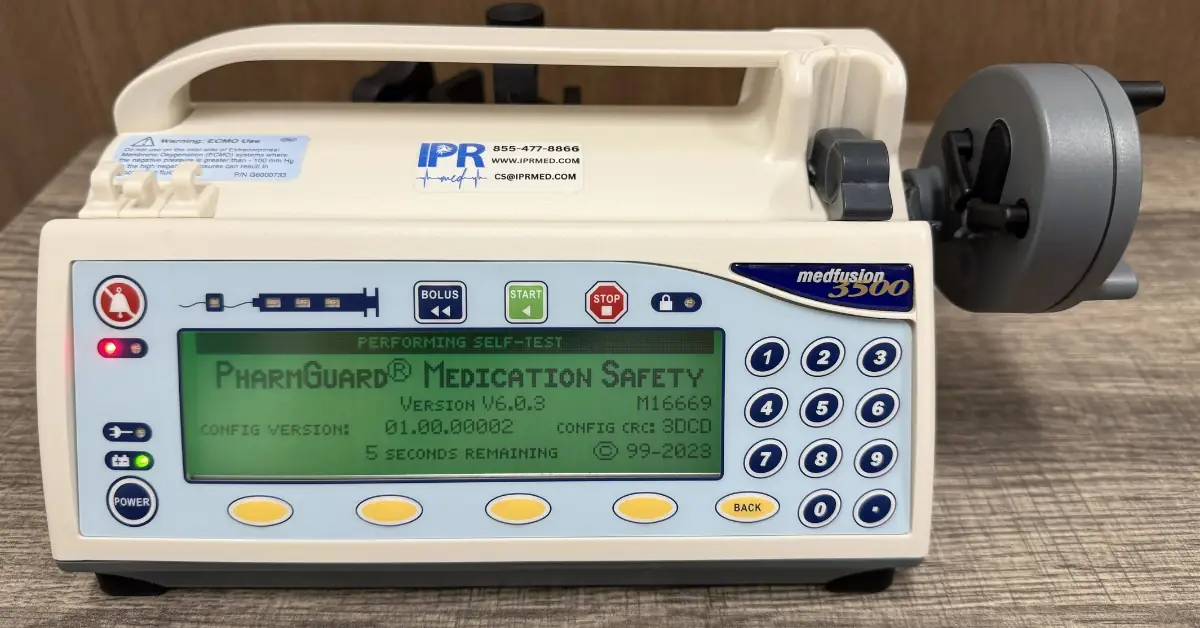
Medfusion 3500 Recall and Software Versions: What Versions 3, 4, 5 and 6 Mean for Your Fleet
Last reviewed October 16, 2026
The Medfusion 3500 has been the subject of several FDA Class I recalls tied to older software. The 2024 recall (Z-0863-2024) covers software v3.x, v4.x and v5.0.0, meaning Version 3, 4 and 5 pumps, and earlier recalls cover Version 6 pumps running v6.0.0 and v6.0.1. The newest software, V6.0.3 at the time of writing, resolves these issues. Older Version 6 pumps can be updated to it, some Version 5 pumps can be upgraded to the newest software (V6.0.3 at the time of writing) after we inspect the board, and pumps that cannot be upgraded can be replaced with recertified Version 6 pumps. The recalls are corrections, not removals, so affected pumps do not have to be pulled from service, but users should know the potential issues and keep a backup pump available.
The Medfusion 3500 is one of the most widely used syringe pumps in hospitals, surgery centers and veterinary practices, and many facilities still run a mix of Version 3, 4, 5 and 6 pumps. If that describes your fleet, the recall notices of the last few years matter. This guide explains what was recalled, which versions are affected, how to check your pumps, and your options for upgrading or replacing them.
The 2024 Class I Recall: Versions 3, 4 and 5
In December 2023, Smiths Medical (now part of ICU Medical) sent customers an urgent medical device correction notice about issues in older Medfusion 3500 software. The FDA classified the action as Class I, its most serious recall category, and published an alert in March 2024.
| Recall number | Z-0863-2024 |
| FDA classification | Class I |
| Manufacturer notice | Urgent medical device correction, December 2023 |
| FDA posting | February 1, 2024 (FDA alert published March 5, 2024) |
| Software affected | v3.x, v4.x and v5.0.0 (Version 3, 4 and 5 pumps) |
| Type of action | Correction, not a product removal |
| Fix | Addressed in software v6.0.0 and all later versions |
| Manufacturer’s instruction | Locate affected pumps, inform users, make sure the most recent Medfusion software is installed, and return the response form |
What the Recalled Version 3, 4 and 5 Software Can Do
According to the FDA, the older software versions can cause the pump to fail, delaying or interrupting therapy, or to deliver therapy that differs from the programmed settings. The FDA noted that patients in neonatal and cardiac intensive care units are especially vulnerable. The issues listed in the notice include:
- Delivery continuing during a “motor not running” high-priority alarm
- An infusion restarting with incorrect parameters
- Screen lock and auto-lock problems
- Interrupted bolus or loading dose delivery
- Incorrect display of bolus or loading dose information
- Doses falling below the minimum recommended rate
- Motor rate errors
- Incorrect recall of last settings and corrupt configurations
Version 6 Recalls: v6.0.0 and v6.0.1
Version 6 pumps are not automatically in the clear. Two earlier Class I recalls covered pumps running older Version 6 releases:
- 2020 (Z-2735-2020), V6.0.0: inaccurate delivery could occur after an interrupted bolus or loading dose if a specific sequence of events followed.
- 2022 (Z-1272-2022), V6.0.0 and V6.0.1: software anomalies including infusion continuing after a system failure in Intermittent Volume Over Time (IVOT) mode, unexpected clearing of the program volume delivered, false “rate below minimum” alarms and an incorrect bolus or loading dose time display. The notice also described a false primary audible alarm failure affecting Medfusion pumps and a circuit board issue on a limited range of serial numbers.
Updating to the newest software, V6.0.3 at the time of writing, resolves the software issues from these recalls. If your Version 6 pumps show V6.0.0 or V6.0.1 on the start-up screen, they should be updated.
Can Recalled Pumps Stay in Service?
Yes, based on the FDA’s description of the recall. The FDA states that this recall is a correction, not a product removal, so affected Medfusion 3500 pumps do not have to be pulled from service. What the recall does require is awareness: the manufacturer asked facilities to make sure every user of these pumps knows about the notice and its proposed mitigations. The 2022 notice for V6.0.0 and V6.0.1 pumps likewise stated that customers can continue to use their pumps by following the actions in the notice.
If your facility keeps recalled pumps in use, good practice includes:
- Make sure every user knows the potential issues listed in the manufacturer’s notice and how to respond to them.
- Keep a backup pump available, especially for critical or life-sustaining infusions, so therapy can continue on another pump if a problem occurs. In its 2022 Medfusion recall notice, Smiths Medical told customers to ensure backup pumps are readily available when infusing critical medications.
- Follow the mitigations in the manufacturer’s notice and your facility’s policies.
- Plan your upgrade or replacement path, so older pumps can be brought current over time.
Medfusion 3500 Version-by-Version Guide
Each Medfusion 3500 “version” corresponds to the software generation the pump runs. Here is how the recalls apply to each one.
| Pump | Software | Recall status | Your options |
|---|---|---|---|
| Version 3 | v3.x | Affected (2024) | Contact us about options, including trade-in toward recertified Version 6 pumps |
| Version 4 | v4.x | Affected (2024) | Contact us about options, including trade-in toward recertified Version 6 pumps |
| Version 5 | v5.0.0 | Affected (2024) | Some can be upgraded to the newest Version 6 software; send the pump in so we can inspect the board |
| Version 6 (older releases) | v6.0.0, v6.0.1 | Affected (2020, 2022) | Update to the newest software, V6.0.3 at the time of writing |
| Version 6 (current) | V6.0.3 | Issues resolved | Keep current and on annual preventive maintenance |
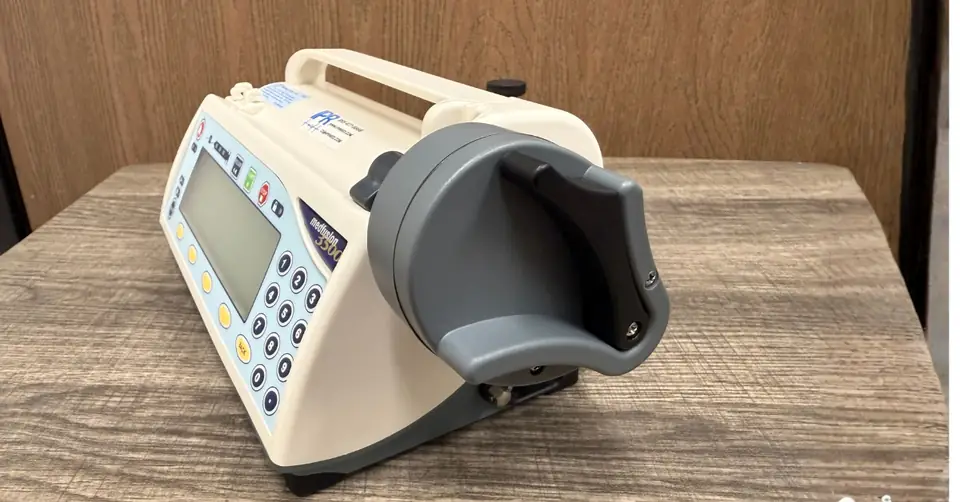
How to Check Your Medfusion 3500 Software Version
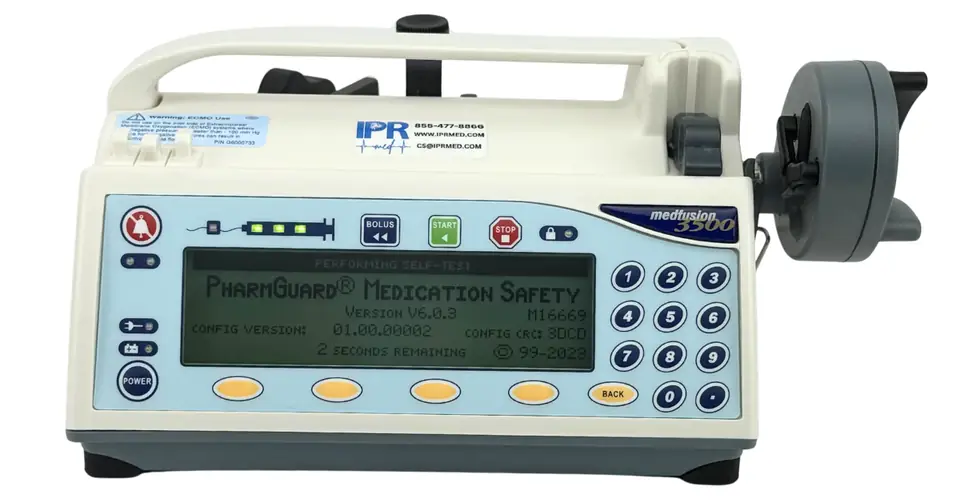
You cannot tell a Version 5 pump from a Version 6 pump by looking at the case. Check the software instead:
- Power the pump on and let it run its self-test.
- Read the start-up screen. It displays the software version, for example “Version V6.0.3,” along with configuration details.
- Record the version and serial number for every pump, so you know exactly which units are covered by the recall.
Upgrading to the Newest Software
For many facilities, the most practical response to the recalls is a software upgrade. Version 6 pumps running V6.0.0 or V6.0.1 can be updated to the newest release, V6.0.3 at the time of writing. Some Version 5 pumps can be upgraded to the newest Version 6 software, Version 6.0.3 at the time of writing, which resolves the issues covered by the recall. Whether a specific pump qualifies depends on its board, so Version 5 pumps need to be sent in for us to inspect the board before we can confirm an upgrade. U.S. customers can request a free shipping label, and you approve the estimate before any work is done.
During an upgrade at our facility, we also evaluate the pump, perform preventive maintenance and calibration, and return it with documentation for your records. For questions about PharmGuard or drug libraries, contact us for details.
Other Medfusion 3500 Notices to Know About
- Health Canada, November 2023: Health Canada posted a Type I recall for Medfusion 3500 syringe pumps related to legacy software anomalies, directing users to contact the manufacturer.
- Medfusion 4000: the companion Medfusion 4000 syringe pump has had its own software recalls. If your fleet includes both models, check each against its own notices.
What to Do Now: A Checklist for Biomed and HTM Teams
- Inventory every Medfusion 3500 by serial number and software version.
- Review the manufacturer’s recall notice and complete any required response form.
- Brief every user on the potential issues and make sure a backup pump is available.
- Send Version 5 pumps in for a board inspection and upgrade those that qualify to the newest Version 6 software.
- Plan replacements for pumps that cannot be upgraded. Recertified Version 6 pumps are a cost-effective option, and older pumps can be traded in for credit.
- Update Version 6 pumps running V6.0.0 or V6.0.1 to the newest software, and keep all Version 6 pumps current and on annual preventive maintenance and calibration.
How IPR Medical Can Help
IPR Medical repairs, upgrades, calibrates and recertifies Medfusion 3500 syringe pumps in-house at our ISO 9001:2015-certified facility in Tustin, California. Hospitals, surgery centers, biomedical and HTM teams, government facilities and veterinary practices across the United States and Canada work with us because we make it simple:
For the hardware problems we find most often on these pumps, and how to prevent them, see Medfusion 3500 Repair: The Most Common Problems.
Recall triage
Send us your serial numbers and software versions and we will tell you which pumps are affected. Version 5 pumps are sent in so we can inspect the board and confirm whether they can be upgraded.
Software upgrades, done in-house
Eligible pumps are upgraded, evaluated, calibrated and returned with documentation.
Recertified Version 6 pumps
Replace pumps that cannot be upgraded with recertified (refurbished) Medfusion 3500 Version 6 pumps, each with a warranty.
Trade-in credit
Trade in older Version 3, 4 or 5 pumps for credit toward recertified Version 6 pumps.
Free evaluation and shipping label
U.S. customers get a free inbound shipping label and free evaluation. Request a label in about two minutes.
No charge until you approve
Every pump gets an itemized estimate first, and every repair is backed by our 90-day warranty.
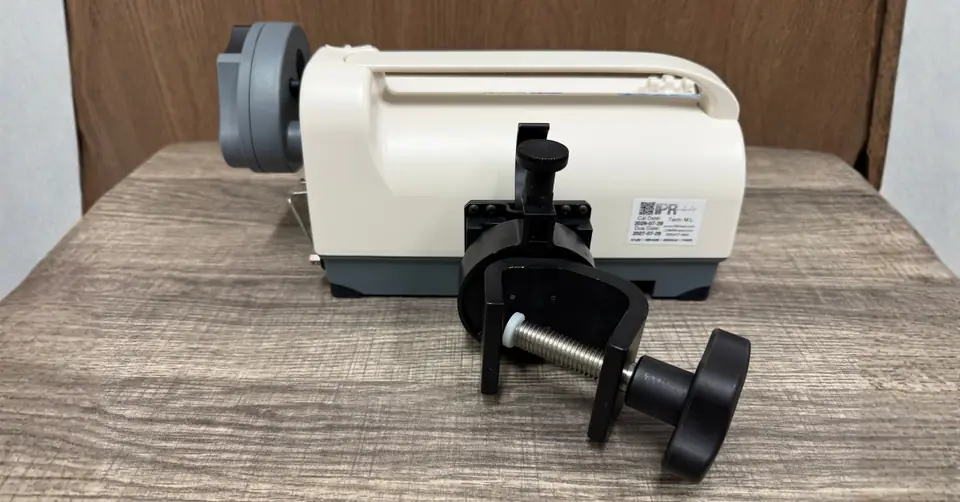
Medfusion 3500 Recall FAQ
Is the Medfusion 3500 syringe pump recalled?
Yes. The Medfusion 3500 has been the subject of several FDA Class I recalls tied to older software. The 2024 recall (Z-0863-2024) covers pumps running software v3.x, v4.x and v5.0.0, and earlier recalls in 2020 and 2022 covered Version 6 pumps running v6.0.0 and v6.0.1. These recalls are corrections, not product removals: the manufacturer asked users to keep the most recent Medfusion software installed.
Which Medfusion 3500 versions are affected by the recalls?
Version 3, 4 and 5 pumps (software v3.x, v4.x and v5.0.0) are covered by the 2024 Class I recall, and Version 6 pumps running v6.0.0 or v6.0.1 are covered by Class I recalls from 2020 and 2022. Pumps running the newest software, V6.0.3 at the time of writing, have those issues resolved.
Can a Medfusion 3500 Version 5 be upgraded to Version 6?
Some Version 5 pumps can be upgraded to the newest Version 6 software, which resolves the issues covered by the recall. Eligibility depends on the pump’s board, so Version 5 pumps need to be sent in for us to inspect the board and confirm whether they can be upgraded.
What is the latest Medfusion 3500 software version?
At the time of writing, the newest Medfusion 3500 software is Version 6.0.3. You can confirm what your pump is running on the start-up screen when it powers on.
How do I check which software version my Medfusion 3500 is running?
Turn the pump on and watch the start-up self-test screen. It displays the software version, for example "Version V6.0.3," along with configuration details. Record the version and serial number for each pump in your fleet.
Do I have to stop using Medfusion 3500 Version 3, 4 or 5 pumps?
No. The FDA describes the 2024 recall as a correction, not a product removal, so affected pumps do not have to be pulled from service. Users should be aware of the potential issues and the mitigations in the manufacturer's notice, and a backup pump should be available, especially for critical or life-sustaining infusions. Follow your facility's policies. We cannot give clinical or regulatory advice, but we can help you identify affected pumps, inspect Version 5 pumps and upgrade those that qualify, and replace pumps that cannot be upgraded.
Is the Medfusion 3500 Version 6 affected by any recalls?
Older Version 6 software is. Pumps running V6.0.0 are covered by a 2020 Class I recall (Z-2735-2020), and pumps running V6.0.0 or V6.0.1 are covered by a 2022 Class I recall (Z-1272-2022). Updating to the newest software, V6.0.3 at the time of writing, resolves those issues. Check the start-up screen to see which release your pumps are running.
Can I trade in older Medfusion 3500 pumps?
Yes. We can apply a buy-back credit for Version 3, 4 or 5 pumps toward recertified (refurbished) Version 6 pumps. Send us photos and serial numbers to get started.
Not Sure Which of Your Pumps Are Affected?
Send us your serial numbers or call our team, Monday to Friday, 7:00 AM to 4:30 PM PT. We will help you sort out what needs an upgrade, what needs replacing, and what is already current.
Sources
- FDA: Smiths Medical ASD Inc. Recalls Medfusion Model 3500 Syringe Pump Due to Issues Associated with Earlier Software Versions
- FDA Medical Device Recall Database: Class 1 Device Recall Z-0863-2024
- Health Canada: Medfusion 3500 Syringe Infusion Pumps recall
- Oncology Nursing Society: Smiths Medical Recalls Medfusion 3500 and 4000 Syringe Infusion Pumps (2022)
- Smiths Medical worldwide notification on bolus and loading dose delivery (2020)
- FDA Medical Device Recall Database: Class 1 Device Recall Z-2735-2020
- FDA Medical Device Recall Database: Class 1 Device Recall Z-1272-2022
- Smiths Medical urgent medical device correction notice, Medfusion software anomalies (April 2022)
Medfusion and PharmGuard are trademarks of their respective owners and are used here only to identify the original manufacturer’s equipment. IPR Medical is an ISO 9001:2015-certified independent service organization and is not sponsored by, affiliated with, or endorsed by the original equipment manufacturer. This article summarizes publicly available recall information for general reference and is not medical or regulatory advice. Always follow the manufacturer’s official notices and your facility’s policies.