


Philips IntelliVue MX40 Wearable Patient Monitor | Telemetry
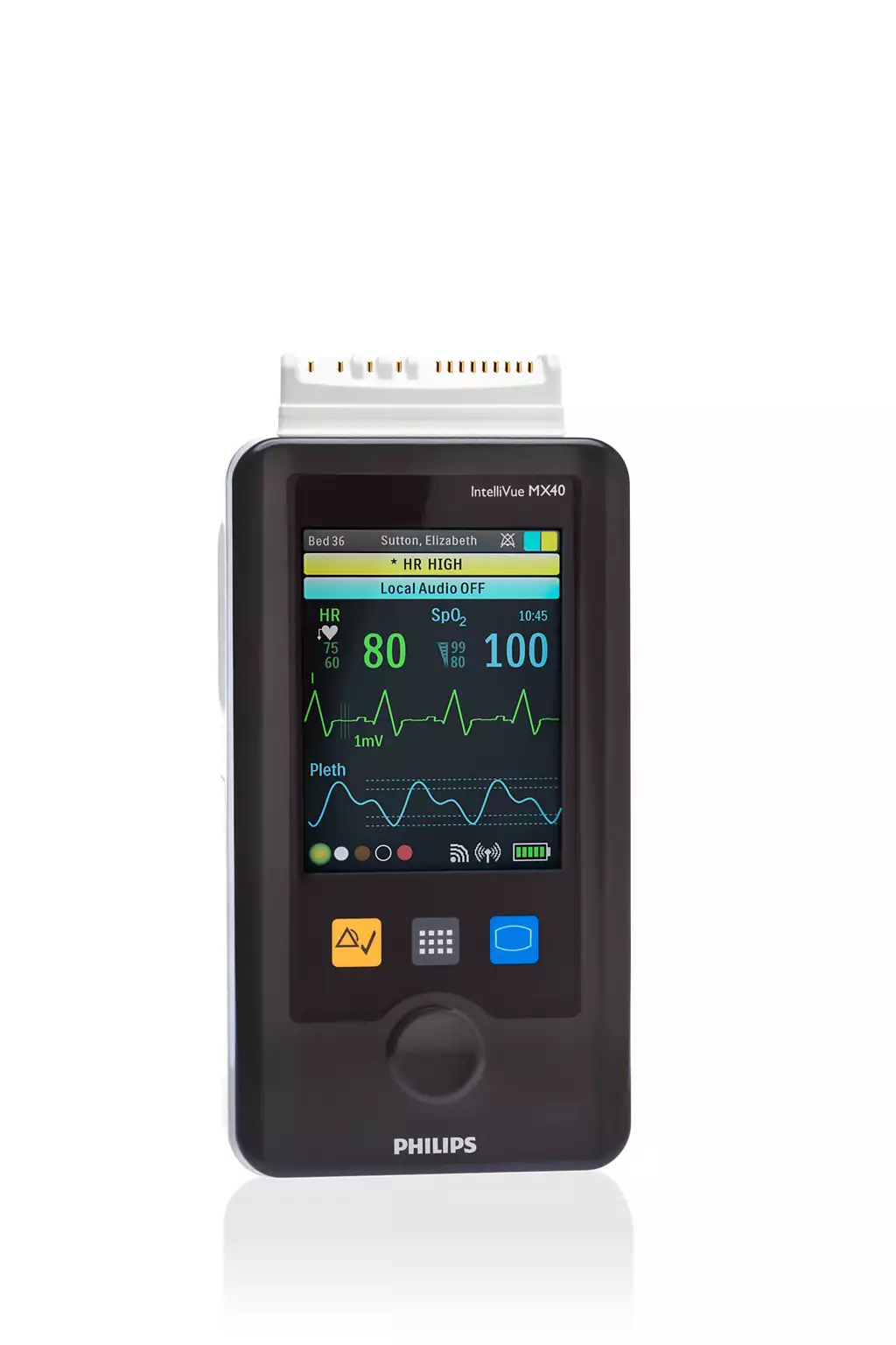
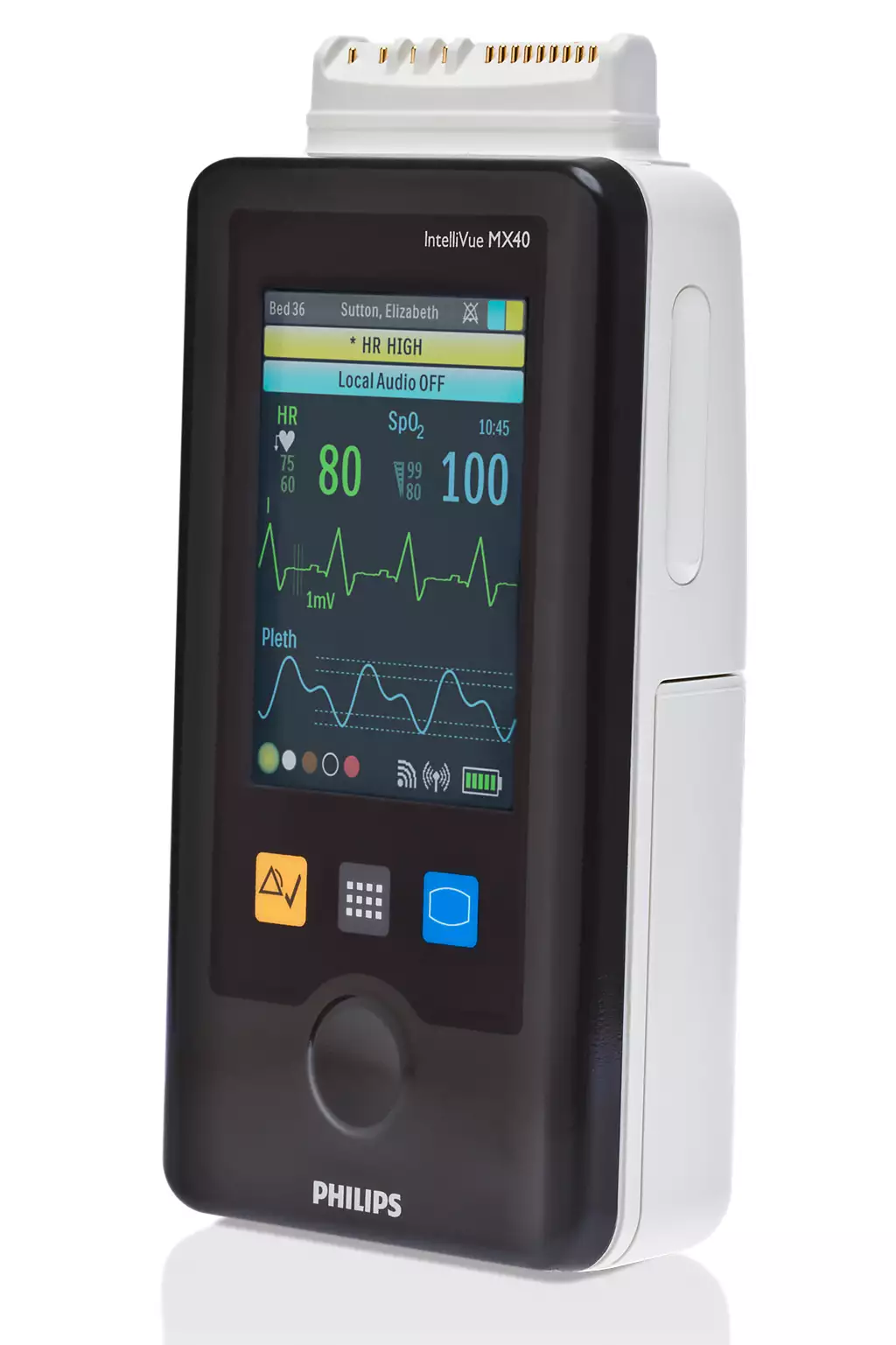
The Philips IntelliVue MX40 is a patient wearable monitor designed to provide continuous ECG monitoring, optional FAST SpO2, and impedance respiration for ambulatory patients throughout a hospital or care unit. Part of Philips’ IntelliVue family, the MX40 transmits real-time data wirelessly to the IntelliVue Information Center iX, enabling clinicians to maintain continuous oversight while patients move freely. Its 2.8″ color touchscreen, disinfectant-resistant housing, and flexible battery configuration make it well-suited for telemetry wards, step-down units, and progressive care environments.
| Display | 2.8″ color touchscreen, up to 5 screen formats |
| Parameters Monitored | ECG, Heart Rate, SpO2 (optional), Pulse Rate, Impedance Respiration, ST, QT |
| ECG Lead System | Standard, EASI, or Hexad — selectable in one device |
| Battery / Power | Three AA alkaline batteries or rechargeable lithium-ion battery pack (WLAN model: Li-ion only) |
| Wireless Connectivity | 1.4 GHz Smart-hopping (WMTS), 2.4 GHz Smart-hopping, or 802.11 a/b/g WLAN — model dependent |
| Infection Control | Case design withstands high-level disinfectants including periodic sterilization |
IPR Medical buys, sells, repairs, and stocks parts for the Philips IntelliVue MX40. Contact us at 855-477-8866 or cs@iprmed.com.
Philips IntelliVue MX40 — Full Specifications and Configuration Reference
| Device Identification | |
| Manufacturer | Philips Medizin Systeme Böblingen GmbH (Koninklijke Philips N.V.) |
| Model Name | IntelliVue MX40 |
| Device Classification | Patient wearable monitor |
| Intended Use | Continuous wireless monitoring of ambulatory patients for ECG and, optionally, SpO2 and impedance respiration; for use in hospital settings in conjunction with the IntelliVue Information Center iX or IntelliVue Information Center |
| Product Family | Philips IntelliVue patient monitoring family |
| REF Numbers, Service Numbers, and Option Codes | |
| REF 865350 — 1.4 GHz Smart-hopping | Most widely deployed MX40 variant in US hospitals. Operates on Philips’ proprietary 1.4 GHz Smart-hopping WMTS network in licensed, reserved spectrum. |
| REF 865351 — 2.4 GHz Smart-hopping | Operates on Philips’ 2.4 GHz Smart-hopping network. Same Smart-hopping architecture as 865350 but in the 2.4 GHz band. Less common in US hospital deployments. |
| REF 865352 — WLAN 802.11 a/b/g | Operates on customer-supplied 802.11 a/b/g WLAN infrastructure (5.6 GHz or 2.4 GHz). Compatible with IntelliVue Information Center iX only — not compatible with IntelliVue Information Center Release N or earlier. Li-ion battery only. |
| Service Numbers — REF 865350 (USA) | 453564262491 — S01, ECG only | 453564262511 — S02, ECG + SpO2 |
| Service Numbers — REF 865351 (USA) | 453564262531 — S01, ECG only | 453564262551 — S02, ECG + SpO2 |
| Service Numbers — REF 865352 | 453564262571 — S01, ECG only | 453564262591 — S02, ECG + SpO2 | 453564615311, 453564615331, 453564615351, 453564615371 — later WLAN configurations |
| SpO2 Option Codes | S01 = ECG only, no SpO2 hardware | S02 = ECG + active FAST SpO2, fully functional | S03 = ECG + SpO2-ready hardware, SpO2 requires software activation |
| Hardware Revision Suffixes (Secondary Market) | First digit = radio (1 = 1.4 GHz, 2 = 2.4 GHz); letter = hardware production revision (later letter = newer, e.g. C is newer than B); last digit = SpO2 config. Common examples: MX40-1B4 (1.4 GHz, SpO2, earlier rev), MX40-1C4 (1.4 GHz, SpO2, later rev), MX40-2B4 (2.4 GHz, SpO2). Confirm suffix with IPR Medical for any specific unit. |
| Manufacture Date and Hardware Generations | |
| Post-2015 Units | Manufactured on or after July 6, 2015 (serial numbers at or above US03556362). Incorporate updated speaker hardware and speaker detection software from the factory. Not subject to the original speaker failure correction. Commonly identified by later hardware revision suffixes such as -1C4 or -2C4. |
| Pre-2015 Units | Manufactured before July 6, 2015 (serial numbers below US03556362). Subject to Philips’ speaker failure correction program. Units that have completed the hardware replacement are appropriate for clinical use. Commonly identified by earlier hardware revision suffixes such as -1B4 or -2B4. All pre-2015 units should also be verified for the 2019 low-battery software correction. |
| Serial Number Format | Serial number and manufacture date are visible on the label affixed to the rear of the device. MAC address also appears on the rear label and is used for network assignment. |
| Display and User Interface | |
| Display | 2.8″ color touchscreen |
| Screen Formats | Up to 5 configurable screen formats |
| Standby / Display Off Mode | Display off mode available for battery conservation and patient privacy; screen activates with 2-second touch from standby |
| Physical Controls | Main screen button (blue); SmartKey menu button; alarm silence button; standby resume button; multi-function button |
| Navigation | Touchscreen primary; SmartKey contextual menu system; nearly all display elements are interactive touch targets |
| Patient Information Display | Patient demographic information displayed on device for assignment verification; touch patient information area to access Patient Demographics menu |
| Clinical Measurements | |
| Parameters — All Configurations | ECG, Heart Rate, ST Segment Analysis, QT Monitoring, Impedance Respiration (optional) |
| Parameters — S02 / S03 (with SpO2) | All of the above plus: FAST SpO2 (continuous, automatic, or manual), Pulse Rate |
| ECG Lead Systems | Standard, EASI, or Hexad — all selectable within a single device |
| Patient Cable Configurations | 3-wire, 5-wire, or 6-wire patient cable (AAMI or IEC color codes) |
| 6-Wire / V-Lead Capability | 6-lead with two V-leads; supports monitoring of wide-QRS complex tachycardias and acute myocardial ischemia/infarction |
| Derived 12-Lead ECG | Available; provides diagnostic-grade cardiac rhythm and morphology information from a wearable form factor |
| Arrhythmia Detection | Yes — ST/AR algorithm; continuous arrhythmia monitoring in parallel with ST and QT analysis |
| ST Segment Analysis | Yes — ST/AR ST analysis algorithm; continuous monitoring; all configurations |
| QT Monitoring | Yes — continuous; all configurations |
| SpO2 Technology | Philips FAST SpO2; S02 and activated S03 configurations only |
| SpO2 Sensor Compatibility | Nellcor OxiMax (reusable and single-patient-use) and Nellcor OxiCliq sensors per OEM documentation |
| Impedance Respiration | Optional configuration; available on all SpO2 configurations including S01 |
| Alarm System | |
| Alarm Types | Physiological alarms and technical alarms (INOPs) |
| Alarm Annunciation | Configurable: local audible and visual alarms at device, or alarms annunciated at Information Center only; configurable based on clinical protocol and patient proximity |
| Alarm Suspend / Resume | Available at device and at Information Center from standby |
| Out-of-Range / Lost Device Audio | Audible feedback for out-of-range and lost-device conditions |
| Find Device | Audible tone can be activated remotely from the Information Center to locate a misplaced device within network range; silenced via dedicated button on device |
| Speaker Self-Test | Post-2015 units include speaker detection software; device performs speaker self-test during power-on sequence and generates INOP if speaker failure is detected |
| Trending and Data Storage | |
| Tabular Trend Storage | Up to 1 hour standard; up to 24 hours optional configuration |
| Graphical Trend | Yes — available locally on device |
| Alarm History | Local alarm history log; review of up to 50 alarm events |
| Trend Upload | Yes — trend data uploads to Information Center upon reconnection after network absence |
| Wireless Connectivity | |
| 1.4 GHz Smart-hopping Protocol | DECT-based; synchronized access points; make-before-break handoff; operates in WMTS licensed spectrum; FCC frequency coordination registration required via ASHE (Section 95.1111) before commissioning |
| 2.4 GHz Smart-hopping Protocol | Same DECT-based Smart-hopping architecture as 1.4 GHz variant; operates in 2.4 GHz band shared with 802.11 b/g, Bluetooth, and DECT phones |
| WLAN Protocol (REF 865352 only) | 802.11 a/b/g (later service numbers: 802.11 a/b/g/n); 5.6 GHz or 2.4 GHz; customer-supplied clinical network (CSCN); configured via IntelliVue Support Tool – Mark2 |
| Short-Range Radio (All Models) | Integrated SRR; 2.4 GHz band; connects to IntelliVue Cableless Measurements or IntelliVue Patient Monitors (MP5/MP5T/MP5SC, MP2, X2); cell radius approximately 15 ft (4.6 m) |
| Network Assignment | Assigned via MAC address at Information Center; each device has a unique MAC address printed on rear label; equipment label limited to 10 bytes maximum |
| Auto-Resume | Automatically resumes communication with Information Center when device returns to network coverage area |
| Central Station and Infrastructure Compatibility | |
| Compatible Central Stations — REF 865350 / 865351 | IntelliVue Information Center Release N; IntelliVue Information Center iX Release A.02.08 or later; Patient Information Center iX. Limited compatibility with IntelliVue Information Center Release L or M. |
| Compatible Central Stations — REF 865352 | IntelliVue Information Center iX Release A.02.08 or later; Patient Information Center iX only. Not compatible with IntelliVue Information Center Release N or earlier. |
| Access Point Controllers — REF 865350 / 865351 | Access Point Controller 862147 Release B.00.19 or later; Access Point Controller 865346 Release C.00.04 or later |
| Compatible IntelliVue Patient Monitors (Wireless) | IntelliVue Patient Monitor Release G or later (IIC Release N); Release J or later (IIC iX Release A.00) |
| Patient Cable Compatibility (Bedside Monitors) | MP2/X2, MP5/MP5T/MP5SC, MP20/30, MP40/50, MP60/70, MP80/90, MX800/700/600, MX400/450/500/550 (all with MMS or X2) |
| Cableless Measurements Compatibility | IntelliVue Cableless Measurements Release C.0 or later |
| Power and Battery | |
| Battery Options — REF 865350 / 865351 | Three AA 1.5V alkaline batteries (Duracell or equivalent high-quality alkaline recommended) OR single Philips rechargeable lithium-ion battery pack |
| Battery Options — REF 865352 | Rechargeable lithium-ion battery pack only; AA batteries not supported on WLAN model |
| Battery Gauge | Displayed on device and at Information Center; enables proactive battery management from central station |
| Li-Ion Battery Notes | Must be fully charged before first use; battery capacity degrades over time and charge cycles; capacity may reduce by 25–30% near end of useful life; only Philips-specified rechargeable battery should be used |
| Battery Storage | Batteries should be removed when device is not in use or in storage; device settings retained when batteries are removed |
| Physical and Environmental | |
| Form Factor | Compact, wearable; worn in patient pouch over clothing or in pocket; not intended for direct skin contact |
| Patient Pouch | Secure pouch with clear, sealable front panel; allows clinician visibility of device status while worn |
| Infection Control | Case design withstands high-level disinfectants including periodic sterilization (STERRAD); unique cable connector designed to reduce accumulation of soil and liquids |
| MRI Compatibility | Not suitable for use in MRI environments |
| Electrosurgical Unit Compatibility | Not for use in vicinity of electrosurgical units; may interrupt or interfere with signal transmission |
| Patient Population | Adult and pediatric ambulatory patients in hospital settings |
| Regulatory | |
| FCC Compliance | FCC Part 15 and/or Part 95 compliant; WMTS operation (REF 865350) requires FCC frequency coordination registration via ASHE before commissioning per Section 95.1111 |
| Safety Standards | IEC/ISO 60601/80601 3rd Edition compliant |
| Applied Part Classification | Type CF applied part |
| FDA Device Corrections | |
| Correction 1 — Speaker Failure | FDA Class 2. Affects units manufactured before July 6, 2015 (serial numbers below US03556362). Speaker component failure results in loss of audible alarms in monitor mode. Addressed via hardware replacement and software update. All models (865350, 865351, 865352) affected. |
| Correction 2 — Low Battery Notification | FDA Class 2. Initiated March 2019. Affects all MX40 models and all service numbers regardless of manufacture date. Device may experience increased power consumption and failure to provide visual or audible low-battery notifications in a critically low battery state. Addressed via software update. |
| Correction 3 — WLAN Partial Re-Association | FDA Class 2. Affects REF 865352 WLAN models only. Under specific 802.11 network conditions, partial re-association may cause device to enter telemetry mode with screen off and local alarming disabled while Information Center shows “No Data Tele” INOP. Addressed via software correction. Does not affect REF 865350 or 865351. |
| Full Detail | See the Description Tab for full prose detail on all three corrections and recommended facility actions. |
IPR Medical buys, sells, repairs, and stocks parts for the Philips IntelliVue MX40. Contact IPR Medical at 855-477-8866 or cs@iprmed.com with service or software questions.
Trademark Notice: Philips, Nellcor, and all other brand names, model names, and part numbers shown are trademarks of their respective owners and are used on this page only to identify the original manufacturer’s equipment offered here, consistent with nominative fair use. This listing is offered by IPR Medical, an ISO 9001:2015-certified independent service organization, and is not sponsored by, affiliated with, or endorsed by Philips or Nellcor.
Overview
The Philips IntelliVue MX40 is a patient wearable monitor that combines ambulatory freedom with clinical-grade continuous ECG monitoring, optional FAST SpO2, and impedance respiration — all transmitted wirelessly in real time to the IntelliVue Information Center iX or Patient Information Center iX. Designed for telemetry wards, step-down units, cardiac rehabilitation, and progressive care environments, the MX40 allows patients to move freely throughout a hospital while remaining under continuous wireless surveillance at the central station. It is part of the broader Philips IntelliVue family and shares the same user interface conventions as IntelliVue bedside monitors, reducing training burden for clinical staff already familiar with the platform. This page is intended to serve as a comprehensive reference for clinical staff, biomedical engineers, and materials managers who are evaluating, configuring, servicing, or sourcing the MX40. IPR Medical buys, sells, and repairs the MX40 across all radio variants and configurations — contact us at 855-477-8866 or cs@iprmed.com for service, repair, or availability inquiries.
Understanding the MX40 Model Family — REF Numbers, Service Numbers, and Option Codes
The IntelliVue MX40 is not a single product — it is a family of configurations that share the same hardware platform and clinical feature set but differ in their wireless radio, SpO2 capability, and hardware generation. Understanding these differences is essential for facilities sourcing replacement units, expanding an existing fleet, or sending units in for repair, because mixing configurations that do not match your existing infrastructure will result in units that cannot connect to your network.
The three primary REF numbers define the wireless radio. REF 865350 operates on Philips’ 1.4 GHz Smart-hopping network in licensed WMTS spectrum — this is by far the most common MX40 variant deployed in US hospitals and the most widely available on the secondary market. REF 865351 operates on the 2.4 GHz Smart-hopping variant of the same network architecture. REF 865352 operates on a customer-supplied 802.11 a/b/g WLAN infrastructure rather than a Philips-proprietary network. Each REF number requires a different access point infrastructure, and units cannot be field-converted from one radio variant to another. Always match the REF number of any replacement or additional unit to the REF number of your existing deployed fleet.
Within each REF number, Philips assigns service numbers that encode the SpO2 configuration. For REF 865350 in the US market, service number 453564262491 identifies the ECG-only S01 configuration, while 453564262511 identifies the ECG plus active FAST SpO2 S02 configuration. In the secondary market, units are commonly described using option code suffixes: the first digit indicates radio variant (1 for 1.4 GHz, 2 for 2.4 GHz), the letter indicates hardware production revision (later letters such as C indicate newer hardware than B), and the final digit indicates SpO2 configuration. Common examples include MX40-1B4 and MX40-1C4 for 1.4 GHz SpO2-equipped units, and MX40-2B4 for 2.4 GHz SpO2-equipped units. The SpO2 option designations S01 (ECG only, no hardware), S02 (active SpO2), and S03 (SpO2-ready hardware requiring software activation) further define what the unit can and cannot do out of the box. S01 units cannot be upgraded to SpO2 without a hardware change. S03 units have the SpO2 hardware present but require a software activation — facilities purchasing S03 units should confirm whether the activation has been applied before assuming SpO2 is functional.
Choosing the Right Configuration — A Buyer’s and Biomedical Guide
If your facility already operates MX40 units, the correct approach when sourcing additional or replacement units is to match the REF number and service number of your existing fleet. Check the label on the rear of an existing unit — the REF number, service number, and MAC address are all printed there. Adding units with a mismatched REF number will require separate access point infrastructure and Access Point Controllers, which substantially increases cost and complexity. Matching the service number ensures the SpO2 configuration is consistent across your fleet, which simplifies clinical training and alarm protocol management.
If your facility is deploying wearable telemetry monitoring for the first time, the 1.4 GHz Smart-hopping network (REF 865350) is the most widely installed MX40 infrastructure in US hospitals and the most supported option in both the primary and secondary markets. It operates in WMTS licensed spectrum reserved by the FCC specifically for medical telemetry, which provides a meaningful degree of interference protection that the 2.4 GHz and WLAN options cannot match. The tradeoff is a one-time FCC frequency coordination registration requirement through ASHE before the equipment is commissioned — a straightforward administrative step that your biomedical engineering team or a Philips service representative can facilitate. For SpO2, the S02 configuration is the right choice for most facilities, providing fully active FAST SpO2 out of the box alongside ECG. S01 is appropriate only when your monitoring protocol captures SpO2 via a separate device, such as a connected IntelliVue bedside monitor through the short-range radio link.
For biomedical engineers evaluating a unit for incoming inspection or repair triage, the key identifiers are all on the rear label: REF number, service number, serial number, manufacture date, and MAC address. The manufacture date relative to July 6, 2015 is the first thing to check — see the Hardware Generations section below for detail on why this matters. Software version can be checked in the Device Info screen accessible through the SmartKey menu in service mode.
Hardware Generations — Pre-2015 and Post-2015 Units
MX40 units in the secondary market span multiple hardware generations, and the distinction between units manufactured before and after July 6, 2015 is one of the most important factors a facility or biomedical department should evaluate when acquiring or inspecting a unit. Philips identified a higher-than-expected rate of speaker component failure in units produced before this date. The affected speaker, when it fails, produces degraded or absent audible alarm output specifically when the device is operating in monitor mode — the scenario where the patient is out of range of or temporarily disconnected from the Information Center and the device is providing standalone local monitoring with local alarms active. In telemetry mode, where alarming is handled entirely at the Information Center, speaker failure is less immediately critical, but becomes a patient safety concern the moment the patient moves out of network coverage or the device loses its wireless connection. Philips addressed this through a hardware replacement program that substituted an improved speaker component and added speaker detection software that performs a self-test during power-on and generates a “Speaker Malfunction” INOP if the speaker fails to pass. This INOP is a feature — it means the detection software is working as designed. Units produced on or after July 6, 2015 incorporate the updated speaker hardware and detection software from the factory.
Units with serial numbers at or above US03556362 are generally within the post-correction production window. In the secondary market these units often carry later hardware revision letters in the option code suffix — for example, -1C4 units are generally newer production than -1B4 units on the 1.4 GHz platform. However, the correspondence between suffix letter and the specific speaker correction should be verified for any individual unit rather than assumed from the suffix alone. Pre-2015 units that have completed the Philips hardware replacement program are appropriate for clinical use provided the 2019 low-battery software correction has also been applied. IPR Medical documents the manufacture date, serial number, hardware revision suffix, and correction history for all MX40 units that pass through its facility.
Display, User Interface, and Clinical Workflow
The IntelliVue MX40 features a 2.8″ color touchscreen as its primary interface. Up to 5 configurable screen formats allow facilities to tailor the display layout to their monitoring protocol and patient population. Clinicians can access alarm settings, alarm histories, and vital trends with a single touch, and can silence alarms and adjust measurement settings directly at the patient’s side. A display-off standby mode conserves battery life and maintains patient privacy during routine ambulation — the screen activates with a two-second touch from standby. Physical controls include the main screen button (blue), SmartKey menu button, alarm silence, and standby resume. The multi-function button activates the touch display from standby when pressed for two seconds. The SmartKey system provides contextual access to measurement controls, configuration options, and operational shortcuts without requiring navigation through multiple menu layers.
The MX40’s interface is deliberately harmonized with the broader IntelliVue bedside monitor family. Clinical staff trained on IntelliVue monitors — whether MP5, MP50, MX450, or any other IntelliVue platform — will recognize the menu structure, color conventions, alarm presentation, and SmartKey navigation of the MX40 without significant additional training. This is a meaningful operational advantage in busy telemetry units where staff may move between wearable and bedside monitoring contexts throughout a shift. Patient demographic information is prominently displayed on the device screen, providing a verification check that the MX40 is correctly assigned to the right patient at the Information Center — particularly important after admission, patient transfers, and battery changes.
ECG, Arrhythmia, ST, QT, and Optional SpO2 Measurements
All MX40 configurations provide continuous ECG monitoring with Standard, EASI, or Hexad lead system selection — all three selectable within a single device without hardware changes. This flexibility allows a single unit to serve different clinical protocols across a facility. Compatible patient cables support 3-wire, 5-wire, and 6-wire configurations in AAMI or IEC color codes. The 6-wire option with two V-leads enables monitoring of wide-QRS complex tachycardias and acute myocardial ischemia or infarction, and supports derived 12-lead ECG acquisition — providing diagnostic-grade cardiac rhythm and morphology information from a wearable ambulatory device. The integrated ST/AR algorithm runs continuous ST segment analysis and QT monitoring in parallel with arrhythmia detection across all configurations, all transmitting to the Information Center in real time alongside the live ECG waveform.
On S02 units, FAST SpO2 is fully active and supports continuous, automatic, or manual measurement modes. SpO2 data and pulse rate transmit to the Information Center alongside ECG, giving clinicians a complete picture of both cardiac and oxygenation status during ambulation. The MX40 is compatible with Nellcor OxiMax reusable and single-patient-use sensors as well as Nellcor OxiCliq single-patient-use sensors per OEM documentation. Impedance-based respiration rate monitoring is available as an optional configuration on both S01 and S02 units and does not require additional hardware beyond the standard ECG cable placement. S01 units have no SpO2 hardware present and cannot be upgraded to SpO2 capability in the field — a hardware-level change is required. Facilities that anticipate needing SpO2 in the future but are purchasing S03 units should confirm whether the software activation has been applied before clinical deployment.
Wireless Networks — 1.4 GHz Smart-Hopping, 2.4 GHz Smart-Hopping, and WLAN
The MX40’s wireless architecture is central to understanding both its clinical capabilities and its infrastructure requirements. The 1.4 GHz and 2.4 GHz Smart-hopping variants both use Philips’ proprietary DECT-based protocol, which synchronizes all access points on the network and allocates time slots and frequencies to connected devices rather than having them compete for bandwidth. This design results in significantly fewer data collisions than standard 802.11 roaming systems — a meaningful difference in a dense hospital wireless environment where dozens of monitored patients may be moving simultaneously. The make-before-break handoff method means that when a patient moves from one access point’s coverage area to another, the MX40 briefly maintains parallel connections to both before dropping the weaker link, minimizing waveform gaps at the Information Center during patient movement. The 1.4 GHz variant operates in WMTS licensed spectrum that the FCC reserves for medical telemetry, providing primary user status over any interfering unlicensed system. The 2.4 GHz variant shares spectrum with other common devices including 802.11 b/g Wi-Fi, Bluetooth devices, and DECT phones, which introduces greater interference exposure in busy hospital wireless environments.
The WLAN variant (REF 865352) operates on a customer-supplied 802.11 a/b/g network and is configured using the IntelliVue Support Tool – Mark2. It uses the WLAN infrastructure the hospital already has in place rather than a separate Philips-proprietary network, which can reduce infrastructure cost but introduces dependency on the hospital’s IT wireless environment for patient monitoring reliability. The WLAN variant is also the only model subject to the partial re-association FDA correction described in the FDA Device Corrections section. All three radio variants include an integrated short-range radio (SRR) operating in the 2.4 GHz band that enables point-of-care connection to an IntelliVue bedside monitor or Cableless Measurements pod for additional parameters or for data handoff when a patient transitions from ambulatory to bedside monitoring.
Battery, Power, and Operational Considerations
The MX40 can be powered by three AA 1.5V alkaline batteries or a single Philips rechargeable lithium-ion battery pack on Smart-hopping models, while the WLAN model requires the lithium-ion pack exclusively. The dual battery option on Smart-hopping models gives facilities operational flexibility — disposable AA batteries can serve as a backup when rechargeable packs are depleted, unavailable, or undergoing charging. Fresh, high-quality alkaline batteries are recommended when using disposable AA batteries; batteries with different remaining energy levels should not be mixed in the same tray. The battery gauge is visible both on the device display and at the Information Center, allowing central monitoring staff to identify units approaching low battery before they reach the patient. Device settings — including patient cable type, SpO2 mode, and volume — are retained when batteries are removed, so battery changes do not require reconfiguration of the device.
Lithium-ion battery capacity degrades over time and with repeated charge cycles. Toward the end of its useful life, a lithium-ion pack may deliver 25–30% less capacity than when new. Facilities using the rechargeable workflow should track battery age and cycle counts as part of their biomedical PM program and replace packs showing reduced runtime before capacity degradation affects clinical use. Battery compartment doors should always be fully closed — the IFU specifically requires that the battery door be closed during defibrillation to protect the clinician from high defibrillator voltage. Battery leakage, if it occurs, requires careful handling as the leaked substance may cause skin or eye irritation.
Trending, Alarm History, and Data Continuity
The MX40 stores local measurement trend data and alarm history directly on the device, providing a data buffer that preserves patient information during periods when the device is out of network coverage or temporarily disconnected from the Information Center. Tabular trend data is available in 1-hour standard or 24-hour optional configurations; graphical trend view is available for visual assessment of parameter trajectories over time. Alarm history stores up to 50 alarm events with timing information, supporting clinical review and incident documentation at the bedside without requiring access to the central station. When the device reconnects to the Information Center — whether after a patient returns from a procedure, transport, or out-of-range area — trend data uploads automatically, ensuring that the Information Center’s patient record contains a complete picture of the monitoring period including any gaps in wireless connectivity. This data continuity feature is particularly valuable in larger facilities where patients may regularly move through coverage boundaries as part of their care routine.
Common Repair Issues and Sending Your MX40 to IPR Medical
The IntelliVue MX40 is a durable device, but like any wearable patient monitor subject to daily clinical use, certain components are more prone to wear and damage over time. The most frequently encountered repair issues on the MX40 are damaged or corroded ECG lead connector pins, cracked or damaged housings resulting from drops, touchscreen failures, speaker malfunctions (including the correction-related speaker failures described elsewhere on this page), battery compartment damage or contact corrosion, and power-related failures including units that fail to start up or lose power unexpectedly. The ECG connector pin corrosion is a particularly common issue — the #4 pin position on the front connector is frequently reported as corroding or pitting over time, often associated with exposure to patient fluids or cleaning agents. Facilities that observe corroded pins should address them promptly, as connector damage affects ECG signal quality and can cause intermittent lead-off alarms that degrade clinical confidence in the device.
Liquid or water damage is another significant repair category for the MX40. While the case design is engineered to withstand high-level disinfectants, submersion or heavy liquid ingress — including battery leakage inside the compartment — can cause more extensive internal damage requiring component-level repair or board replacement. Units that have experienced liquid exposure should be removed from service and assessed by a qualified biomedical technician before being returned to patient use. Speaker malfunction INOPs that persist after a battery removal and reinsertion typically indicate either a hardware speaker failure or a software-level speaker detection issue — both of which require service-level diagnosis rather than field troubleshooting.
IPR Medical accepts the Philips IntelliVue MX40 for repair service across all radio variants (REF 865350, 865351, 865352) and all SpO2 configurations. When sending a unit to IPR Medical for repair, please include the REF number, service number, serial number, and a description of the fault or symptom observed. If the unit displays a specific INOP message, noting that message helps streamline diagnosis. Units with known liquid damage or housing damage should be flagged at the time of submission. IPR Medical can also assess the manufacture date and correction status of any unit during the repair process and advise on whether the speaker correction or low-battery software correction should be applied as part of the service visit.
FDA Device Corrections and Safety Bulletins
The Philips IntelliVue MX40 has been the subject of multiple FDA Class 2 device corrections. Biomedical engineers and clinical leadership at facilities operating any MX40 variant should be familiar with all three corrections and verify their fleet’s compliance status against each one.
The first correction addresses speaker failure in units manufactured before July 6, 2015. Philips identified a higher-than-expected rate of failure in the speaker component used in these earlier units, resulting in degraded or absent audible alarm output in monitor mode — the scenario where the device operates as a standalone local monitor outside of Information Center coverage. Because the MX40’s speaker is the primary mechanism for alerting a patient’s immediate caregivers when physiological alarm conditions occur outside of wireless range, speaker failure in this mode is a direct patient safety risk. In telemetry mode, where alarming is fully managed at the Information Center, the immediate clinical impact of speaker failure is lower, but the risk materializes whenever the wireless link is interrupted. Philips addressed this through a correction program involving hardware replacement with an improved speaker component and a software update that added speaker detection capability. Post-2015 units incorporate these changes from the factory and are not affected by this correction. Pre-2015 units that have not completed the correction program should not be placed in clinical service until the hardware replacement has been performed.
The second correction, initiated by Philips North America in March 2019, applies to all MX40 models and all service numbers regardless of manufacture date — REF 865350, 865351, 865352, and 857146 are all covered. Under this correction, the MX40 may experience increased power consumption in a low battery state and may fail to provide the expected visual or audible low-battery notification. Rather than alerting clinicians that the battery is critically depleted, the device may simply power off without warning. In a clinical environment where a silent power-off can be mistaken for a patient leaving coverage area, the absence of a low-battery warning creates a meaningful risk of unrecognized monitoring interruption. Philips addressed this through a software update. Any MX40 unit currently in service — whether purchased new, refurbished, or on the secondary market — should be confirmed to have received this software correction. IPR Medical can verify and apply the relevant software version during any repair service visit.
The third correction applies exclusively to REF 865352 WLAN models and does not affect REF 865350 or 865351 Smart-hopping units. Philips identified that under specific 802.11 network conditions, a partial re-association of the MX40 WLAN to the Information Center is possible. In this state, the Information Center correctly detects the problem and displays a visible and audible “No Data Tele” INOP, but the MX40 itself enters telemetry mode — its screen turns off after one minute and local alarming is disabled — without the device recognizing that it has lost its monitoring connection. If this condition occurred during active patient monitoring, a delay in clinician response to a physiological event could result. Philips addressed this through a software correction and instructed facilities to treat a “No Data Tele” INOP at the Information Center as a prompt to physically check the MX40 and, if it is within coverage area, remove and reinsert the battery to force a clean re-association.
Because FDA device corrections and safety communications may be updated or expanded after the date of this listing, IPR Medical recommends that facilities also check the FDA’s official resources directly to ensure they have the most current information.
FDA resources for further review:
FDA Medical Device Recalls Database |
FDA Medical Device Safety
IPR Medical — Buy, Sell, Repair, and Parts
IPR Medical is an active buyer, seller, and repair provider for the Philips IntelliVue MX40 across all radio variants — REF 865350 (1.4 GHz Smart-hopping), REF 865351 (2.4 GHz Smart-hopping), and REF 865352 (WLAN) — and across all SpO2 configurations including S01, S02, and S03. For facilities with units in need of repair, IPR Medical offers service for the full range of MX40 fault conditions including ECG connector pin damage and corrosion, touchscreen and display failures, speaker malfunctions, battery compartment damage, liquid damage assessment, power failures, and software correction application. For facilities with surplus MX40 inventory ready for disposition, IPR Medical purchases units in all conditions. For facilities looking to expand or refresh their wearable telemetry fleet when inventory is available, IPR Medical can match your REF number, service number, and hardware generation requirements. IPR Medical stocks compatible patient cables, SpO2 sensors, battery packs, and charging stations for the MX40 and can confirm parts availability for any specific configuration upon request.
IPR Medical buys, sells, repairs, and stocks parts for the Philips IntelliVue MX40. Contact IPR Medical at 855-477-8866 or cs@iprmed.com with service or software questions.
Trademark Notice: Philips, Nellcor, and all other brand names, model names, and part numbers shown are trademarks of their respective owners and are used on this page only to identify the original manufacturer’s equipment offered here, consistent with nominative fair use. This listing is offered by IPR Medical, an ISO 9001:2015-certified independent service organization, and is not sponsored by, affiliated with, or endorsed by Philips or Nellcor.
| Weight | 20 lbs |
|---|---|
| Dimensions | 7 × 17 × 15 in |
Compatible Parts and Accessories
IPR Medical stocks a range of compatible parts and accessories for the Philips IntelliVue MX40. The sections below cover the most commonly requested components. Contact us at 855-477-8866 or cs@iprmed.com to confirm availability, pricing, or compatibility for your specific configuration.
ECG Patient Cables
| 3-Wire Patient Cable | 3-lead patient cable for use with the IntelliVue MX40; AAMI/IEC color coding; compatible with IntelliVue Patient Monitor platforms |
| 5-Wire Patient Cable | 5-lead patient cable for use with the IntelliVue MX40; supports Standard and EASI lead placement; AAMI/IEC color coding |
| 6-Wire Patient Cable | 6-lead patient cable with two V-leads for Hexad lead system; supports derived 12-lead ECG and monitoring of wide-QRS tachycardias and ischemia; AAMI/IEC color coding |
SpO2 Sensors and Cables
| Nellcor OxiMax Compatible Sensors | Reusable and single-patient-use OxiMax SpO2 sensors compatible with the MX40’s FAST SpO2 measurement module; per OEM documentation |
| Nellcor OxiCliq Compatible Sensors | OxiCliq single-patient-use SpO2 sensors compatible with the MX40; per OEM documentation |
Power and Battery
| Rechargeable Lithium-Ion Battery Pack | Philips rechargeable lithium-ion battery pack for use with the IntelliVue MX40; required for WLAN model (865352); optional for Smart-hopping models |
| AA Battery Tray | Battery tray for use with three AA 1.5V alkaline batteries; compatible with Smart-hopping MX40 models (865350, 865351); not for use with WLAN model |
| Li-Ion Battery Charging Station | Charging station for the Philips MX40 rechargeable lithium-ion battery pack; contact IPR Medical to confirm specific charging station model compatibility |
Carrying Accessories
| Patient Pouch | OEM-specified pouch with clear, sealable front panel for ambulatory patient use; allows visibility of device display and status while worn over clothing |
IPR Medical buys, sells, repairs, and stocks parts for the Philips IntelliVue MX40. Contact IPR Medical at 855-477-8866 or cs@iprmed.com with service or software questions.
Related Products


Philips IntelliVue M3001A Multi-Measurement Module | Option A04C06, Nellcor OxiMax SpO2, IBP & Temp
Original price was: $1,295.00.$1,095.00Current price is: $1,095.00.
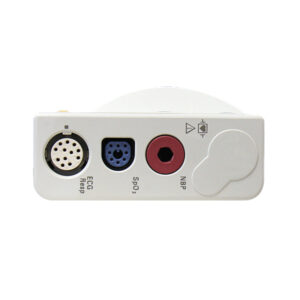
Philips IntelliVue M3001A Multi-Measurement Module | Option A01C12, 12-Lead ECG & FAST SpO2
Original price was: $1,095.00.$995.00Current price is: $995.00.

Philips IntelliVue M3001A Multi-Measurement Module | Option A03C06, Masimo SET SpO2, IBP & Temp
Original price was: $1,595.00.$1,395.00Current price is: $1,395.00.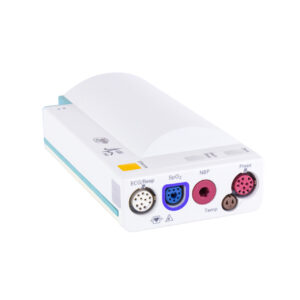
Reviews
There are no reviews yet.